






- Technology Products Group
- December 26, 2025
- 3 Comments
Earlier, we reviewed few software technology products. Now, A PC & Laptop Accessory. Xencelabs Quick Keys Review begins with a simple truth about creative frustration. Many digital artists and editors suffer from cramped hands and repetitive strain. Traditional keyboards are bulky and often lack a natural, intuitive flow for design.
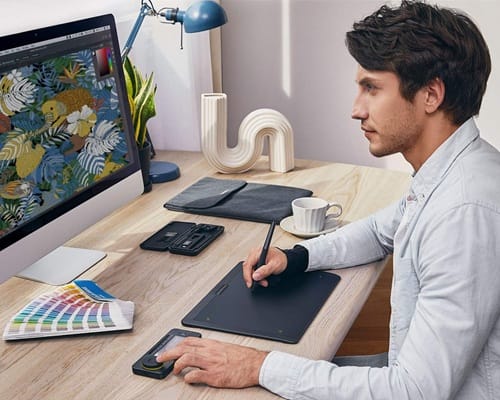
The Xencelabs Quick Keys was built on the principle of “Human-Centric Ergonomics.” This device acts as a customizable shortcut remote for digital artists and video professionals.
It solves the issue of memorizing hundreds of complex, multi-key commands across different software. By centralizing your workflow, this programmable key controller allows for a more fluid creative process.
Affiliate Disclosure: We may earn a commission if you purchase through the links in this Xencelabs Quick Keys Review post.
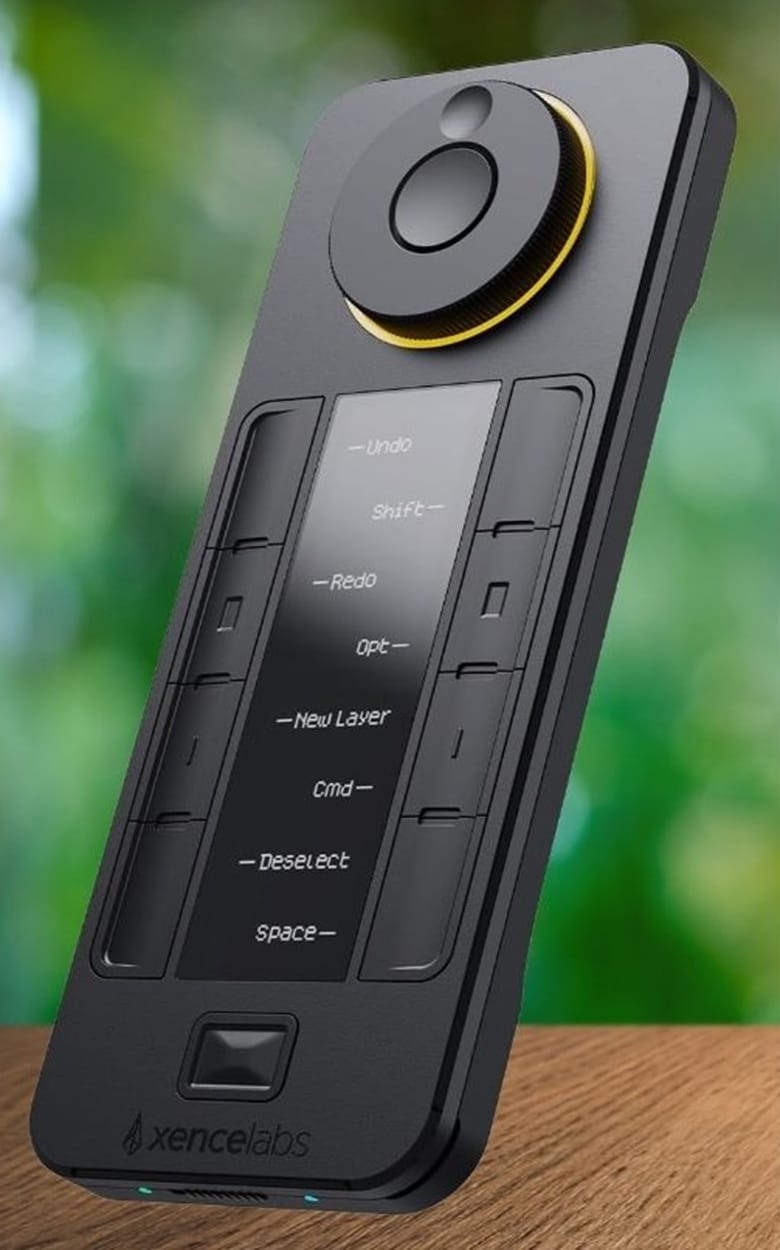
Xencelabs Quick Keys Specifications
| Features | Details |
|---|
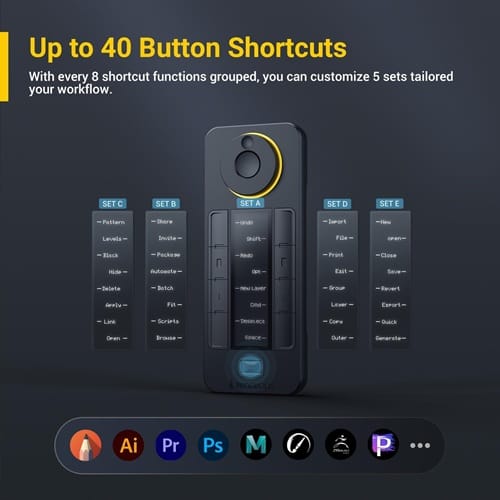
| Customization | 44 customizable functions (8 keys x 5 sets + dial) |
| Display | 3.12-inch OLED display shortcut keys |
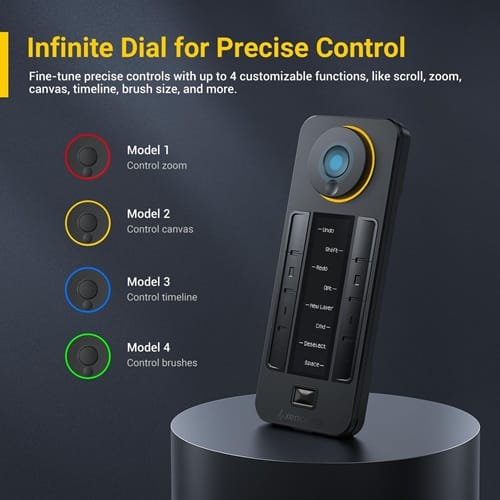
| Control | Physical dial for zoom and brush size (4 modes) |
| Battery Life | 25 to 53 hours of wireless shortcut remote use |
| Charging | 1.5 hours via USB-C |
| Connectivity | 2.4GHz Wireless shortcut remote (Dongle) or Wired |
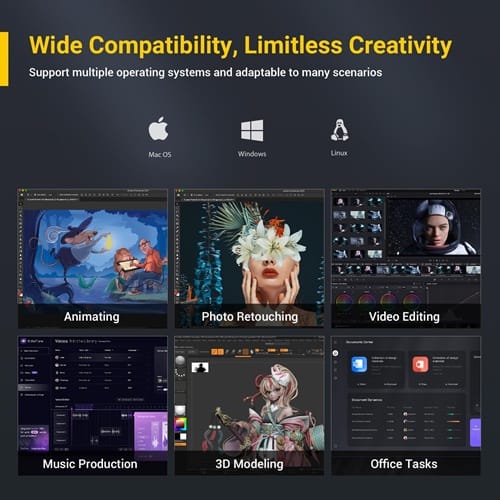
| Compatibility | Windows and macOS compatibility (also Linux) |
| Weight | Lightweight at 142g (0.31 lbs) |
| Dimensions | 157.6 x 62.5 x 12 mm |
Real-World Performance of Xencelabs Quick Keys
During our testing, the Xencelabs driver settings proved remarkably deep yet very simple. We easily created application-specific profiles for Photoshop, Premiere Pro, and Blender. The OLED display shortcut keys rotated automatically when we changed the device orientation. Every programmable key controller action felt instantaneous with no noticeable wireless lag. The physical dial for zoom and brush size changed functions with a center button click.
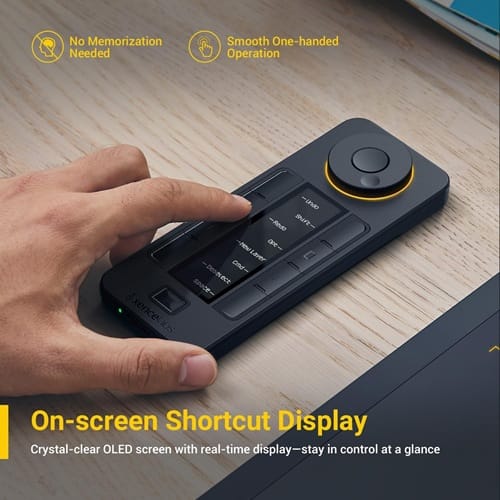
This customizable shortcut remote for digital artists truly kept our focus on the screen. We found the tactile feedback buttons helped us work much faster in dark environments. The 44 customizable functions meant we rarely had to touch our actual keyboard. Having full Windows and macOS compatibility allowed us to move from desktop to laptop effortlessly. The OLED display shortcut keys update labels instantly as you switch between software sets. We loved how the physical dial for zoom and brush size felt high-end.
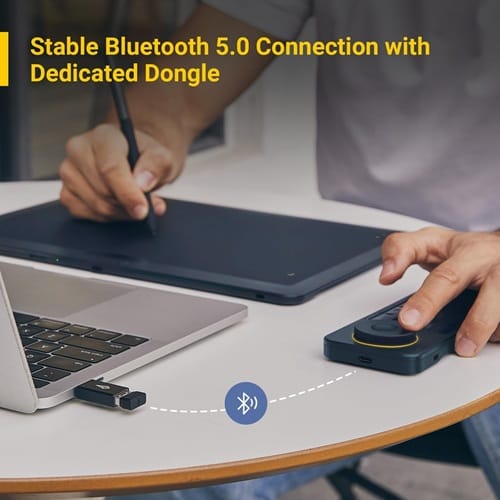
Xencelabs Quick Keys : Pros and Cons
Pros
- 44 customizable functions offer vast control for any complex software.
- The OLED display shortcut keys eliminate the need for messy stickers.
- Windows and macOS compatibility ensures it works on almost any system.
- A premium physical dial for zoom and brush size feels professional.
- Solid tactile feedback buttons prevent accidental commands during high-speed editing.
Cons
- Initial setup of Xencelabs driver settings takes time to perfect.
- The programmable key controller represents a significant upfront financial investment.
Xencelabs Quick Keys Review: Conclusion
Our Xencelabs Quick Keys Review finds this tool to be a game-changer. It is the premier customizable shortcut remote for digital artists on the market. With 44 customizable functions, it handles everything from 3D modeling to basic data entry. The OLED display shortcut keys provide a modern, professional look for your desk. Using the physical dial for zoom and brush size makes editing feel tactile and fun. Its Windows and macOS compatibility ensures longevity as you upgrade your hardware over time. If you need a reliable wireless shortcut remote, look no further than this. The tactile feedback buttons and programmable key controller logic will transform your daily habits.
FAQs About Xencelabs Quick Keys
Is the Xencelabs Quick Keys Review score based on wireless use?
Yes, the wireless shortcut remote performance is a major part of its high rating.
Can I use the physical dial for zoom and brush size in Chrome?
Absolutely, the Xencelabs driver settings allow for custom scrolling in web browsers.
How does it handle Windows and macOS compatibility?
The driver works identically on both, making this a great programmable key controller.
Does this look like the right tool for your desk? Tell us your thoughts below!
#Xencelabs #QuickKeys #GraphicDesign #VideoEditor #WorkflowOptimization #TechReview
Technology Products Group
Twenty years from now you will be more disappointed by the things that you didn’t do than by the ones you did do. Sail away from the safe harbor.

Alright, s6666bet is on my radar now. Gave it a spin and gotta say, the odds seem pretty decent. Depositing was smooth too. Good stuff! Find it here: s6666bet
Can you be more specific about the content of your article? After reading it, I still have some doubts. Hope you can help me.
Your article helped me a lot, is there any more related content? Thanks!